
ManyStops

One shopping list for all your stores

Know which stores to go, or when the trip can wait.

Grocery prices can differ by 35% or more between stores in the same city.1 With ManyStops, you can easily keep track of prices at multiple stores, and even see the cheapest option on shopping day!

What else can you do with ManyStops?

  1. Decide

    Know what day you’ll need to shop, and what it will cost

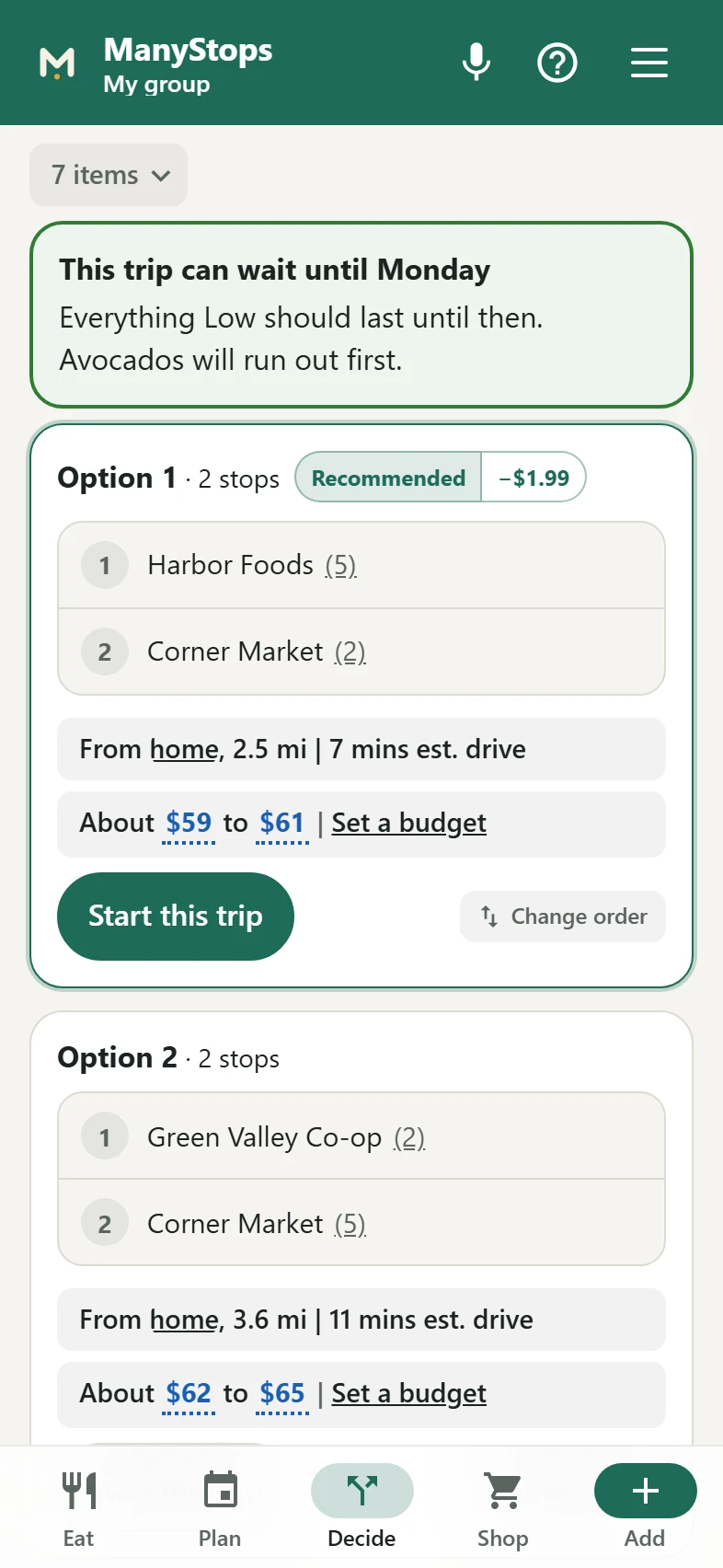
    ManyStops learns how long each item lasts in your home. It names the day you’ll need to shop next. It lays out each way to shop your stores, with the drive and what each will cost.

    The Decide screen saying the trip can wait until Monday, above the options for today with the drive and what each will likely cost.
  2. Shop

    Scan as you shop

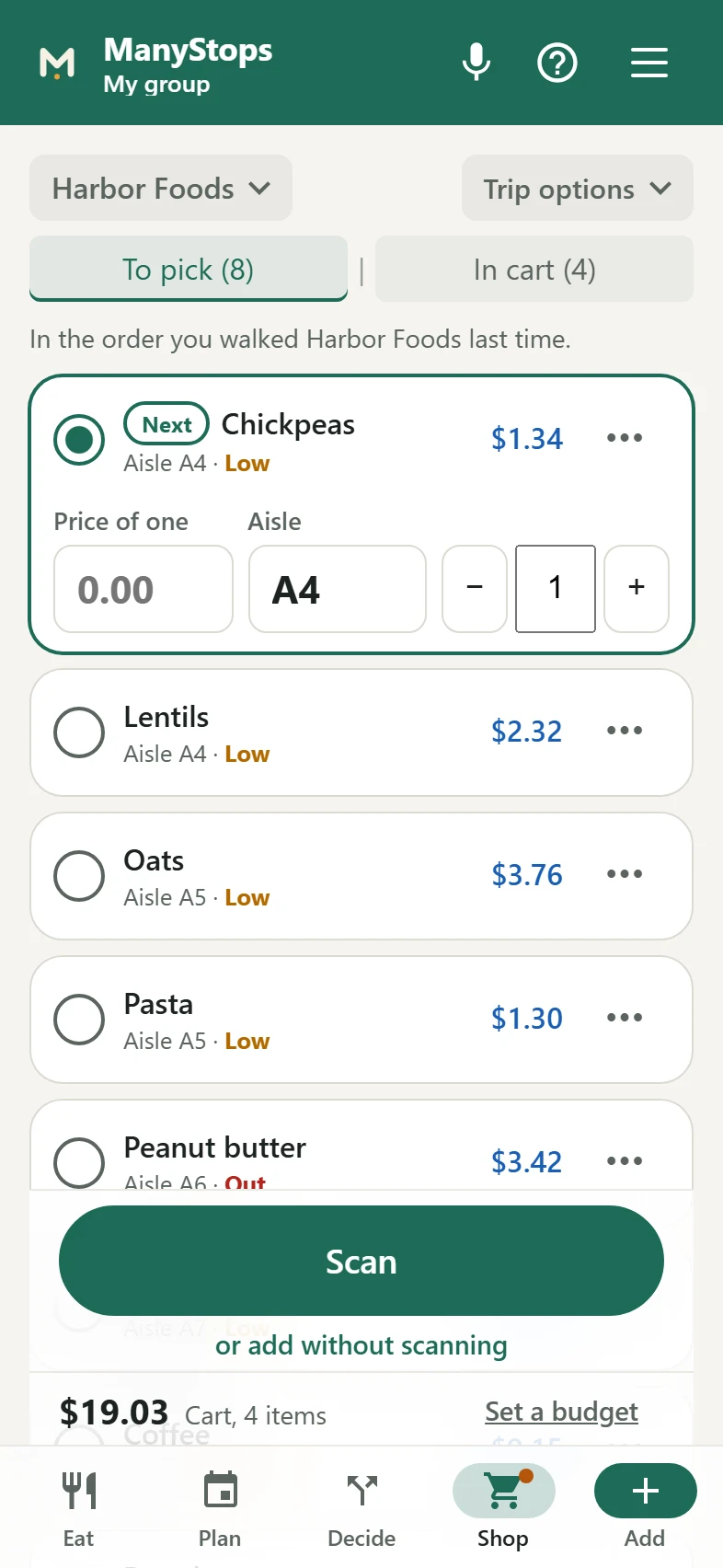
    Each store's list comes in aisle order. Tick each item as it goes in the cart, or scan its barcode. Photograph the receipt at the end, and ManyStops fills in the prices.

    The Shop screen at one store: the first item selected with boxes for its price, aisle and how many, each item with the price paid last time, and the Scan button over the cart total.
  3. Plan

    Meals for the week, from ingredients in your pantry

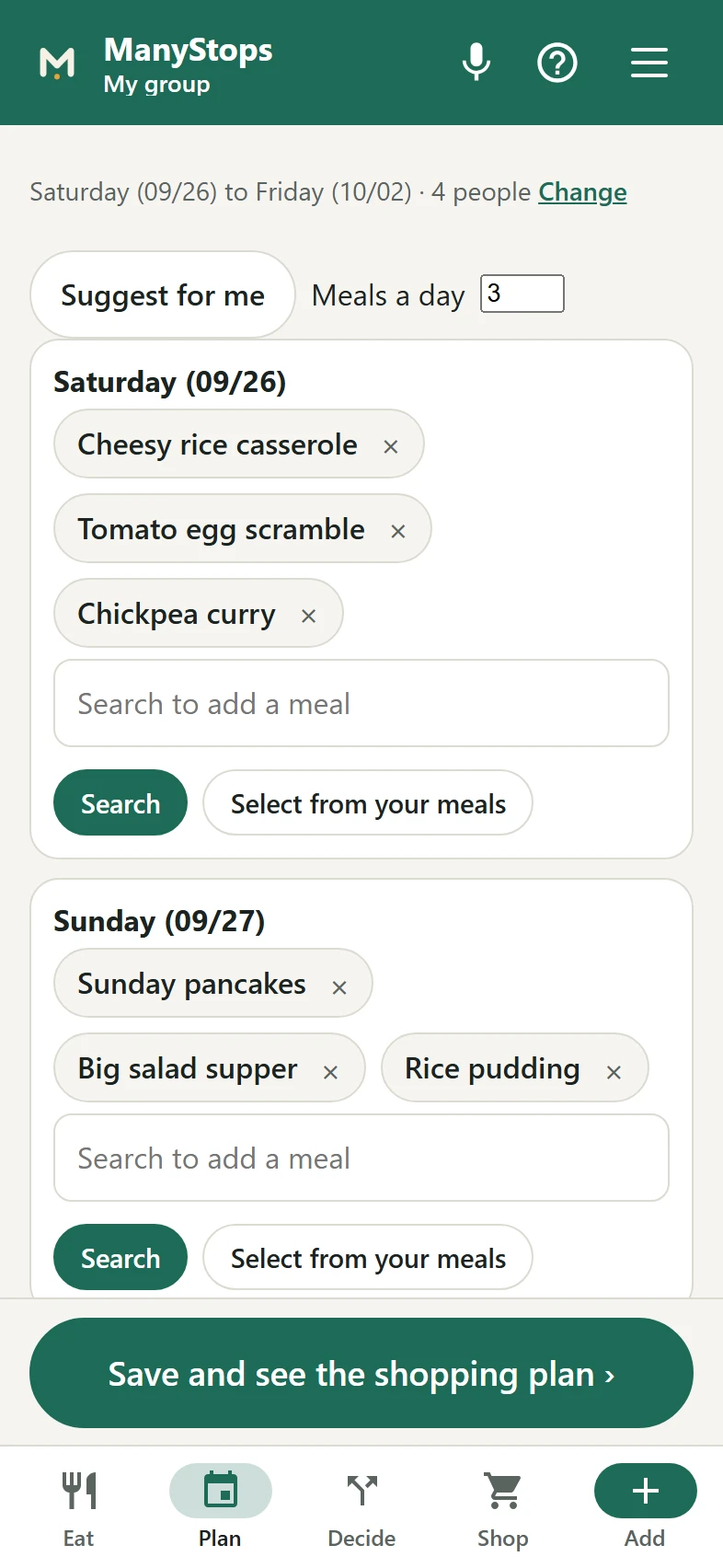
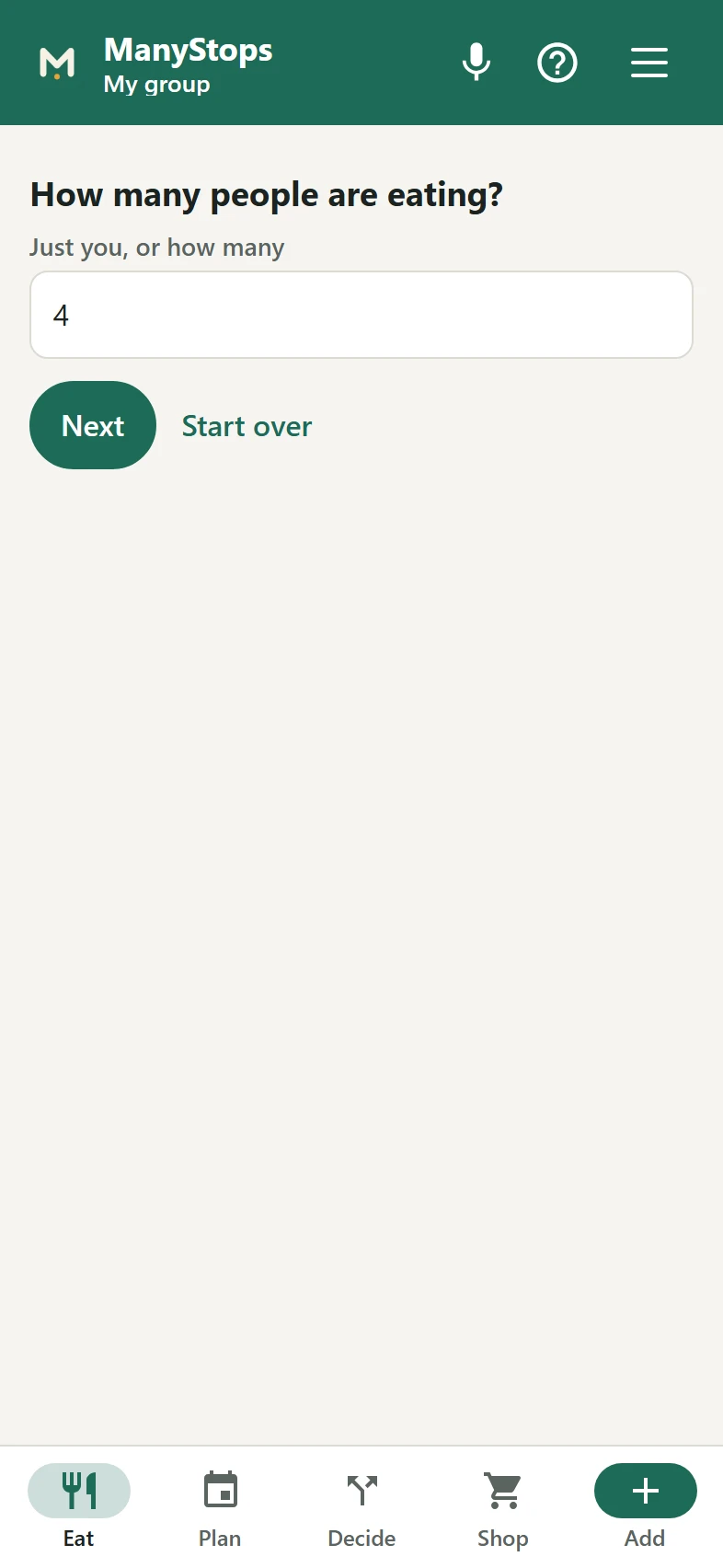
    Choose the days and how many people are eating. ManyStops looks at what is in your pantry and fills each day with meals you like. Anything you are short of goes straight to the shopping list.

    The Plan screen, a box for each day of the week with the meals chosen for it and a search to add more.
  4. Eat

    Cook tonight, or order from a restaurant?

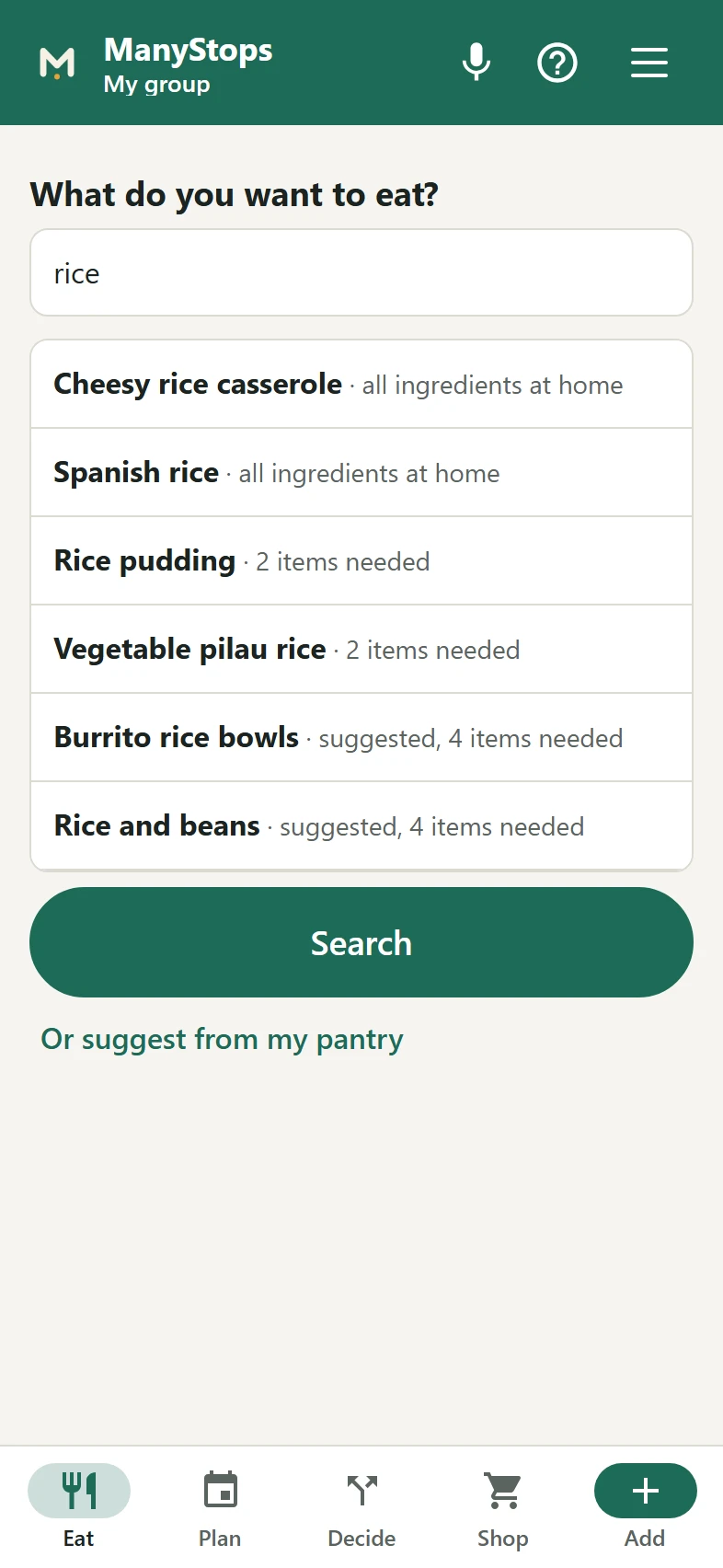
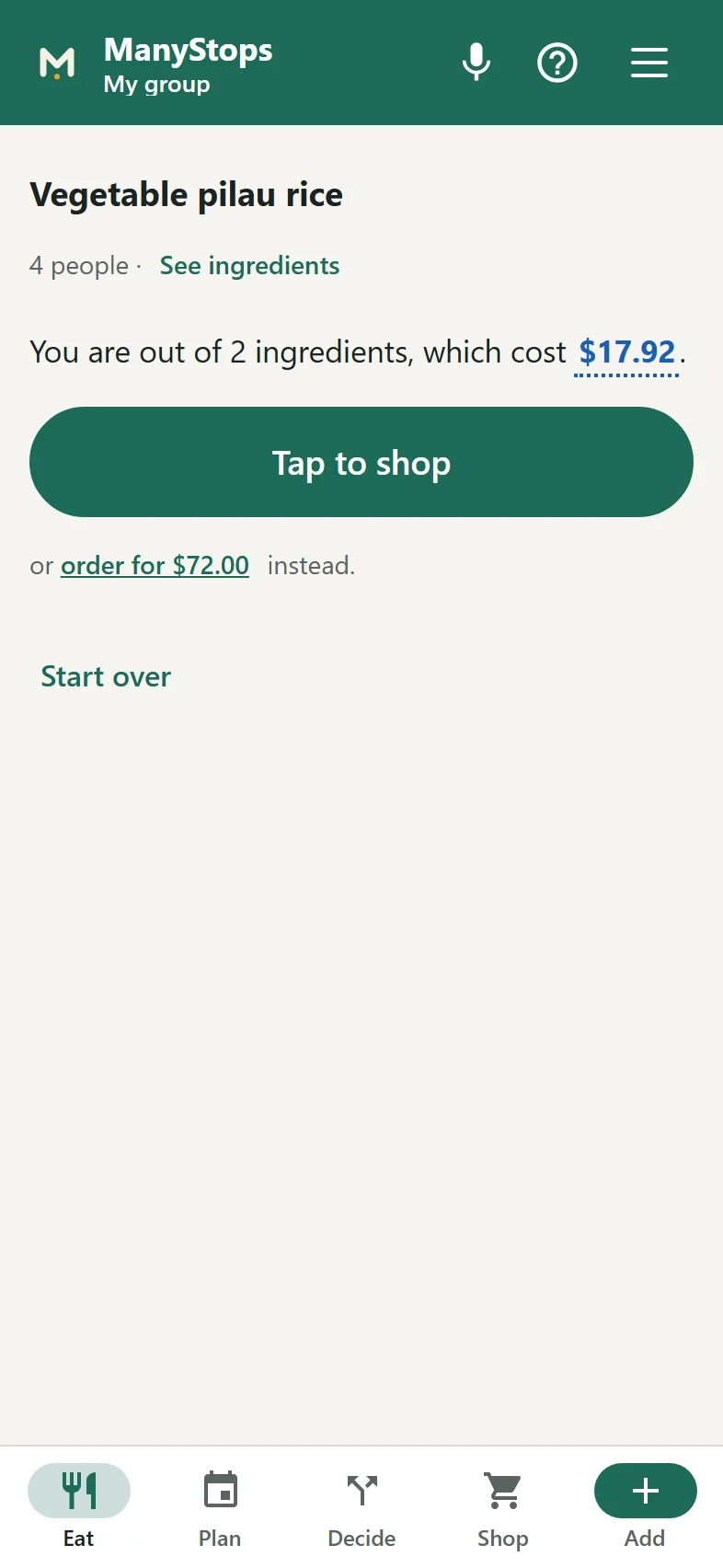
    Search for a meal, or let ManyStops suggest one from what is in your pantry. It shows what the missing ingredients cost, and what a restaurant meal for everyone would cost.

    The Eat screen asking What do you want to eat, with a search box and Suggest from my pantry.
    The Eat screen asking how many people are eating.
    The Eat screen, saying the house is short of two ingredients for vegetable pilau rice and what they cost, with Tap to shop and the cost of ordering in instead.
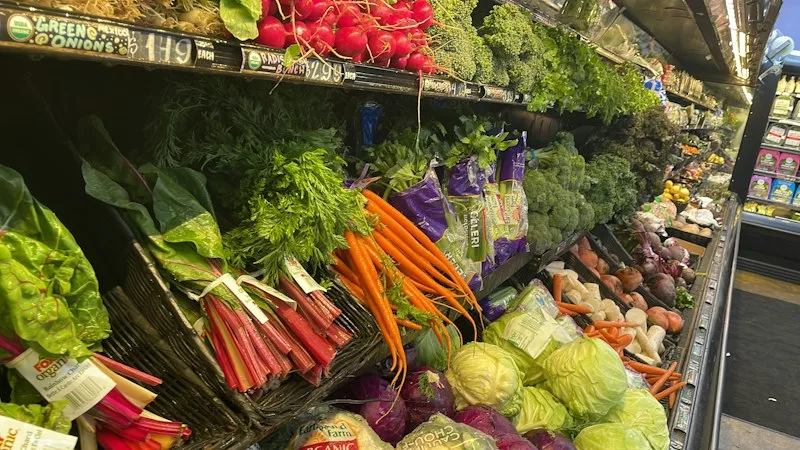
A produce aisle in a grocery co-op, with rainbow chard, carrots and cabbages in slanted baskets and price signs written in chalk above them.

Know what the trip will cost before you leave home

Every price is one you recorded, shown again the next time you stand in front of the item. Type it as you pick the item up, or photograph the receipt afterwards. It works at any store, including the independent ones no price app covers.
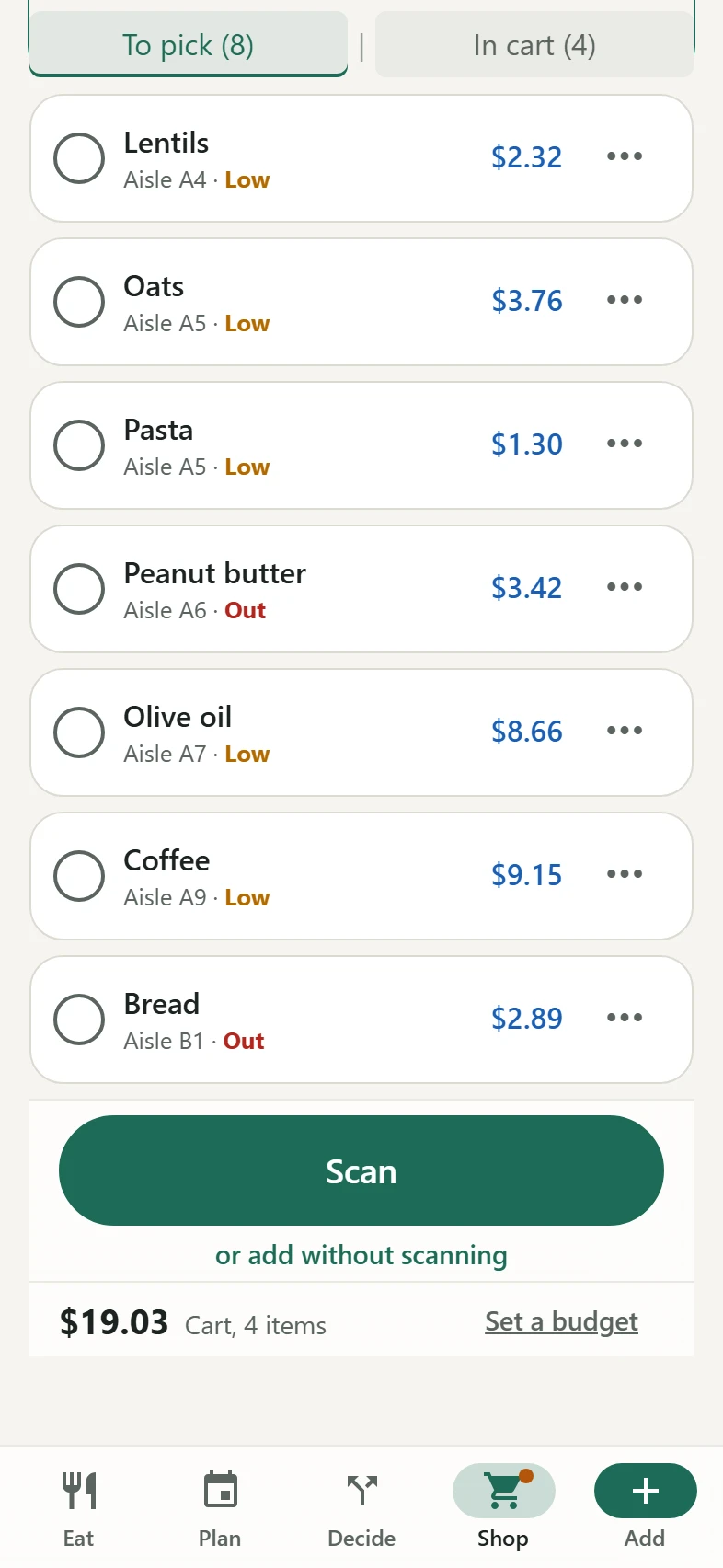

The list still to pick at one store, in the order that store is walked, each item with its aisle, its last price, and whether it is Low or Out at home.

At any store, your list is sorted in the best order

ManyStops learns each store's order from the order you pick things up, at any store, with nothing to set up. At a store other ManyStops shoppers know, your first list already comes in a sensible order.

Why use ManyStops

It works with all your lists: groceries, work, events, baby lists and many more.
Every shopping assistant wants you to buy. ManyStops tells you when you can skip a trip.
A mother and her young daughter holding a bunch of radishes and greens by a kitchen window, with carrots and spring flowers beside them.
For families

Nobody comes home with a second bag of rice. Everyone marks what is running short from their own phone, and there is one list.

Three people cooking together at a kitchen counter, one stirring a pan of colorful vegetables while the others smile.
For busy teams

The office never runs out of coffee. Anyone asks for what is missing, whoever is going picks it up, and the price is remembered for next time.

Three women laughing as they cook side by side at a kitchen counter, with chopped peppers on the boards in front of them.
For clubs

Nobody has to remember what the supplier charged last time. It is on the list beside the item, and everybody buying for the event works from the same list.

Two friends with a cart in a grocery aisle, one pointing at the shelves as they laugh.
For roommates

Nobody argues about who ate the snacks. Mark what is shared and what is yours, and after a shared trip ManyStops shows who owes what.

Works at the back of the store

Your list and the Shop screen keep working with no signal. ManyStops catches up when you are back online.

Questions

Does it work on iPhone?

Yes. Get ManyStops from the App Store. You can also add it to your home screen from Safari. The steps, for every phone.

Does it work on Android?

Yes. Open manystops.com/app in Chrome, then tap Install. After that it opens from your home screen like any other app.

Which stores does it work with?

Any store you can walk into, from grocery stores and warehouse clubs to hardware and office supply stores. Independent and international grocers work too.

Do I have to type in prices?

No. Typing prices is optional. When you are done shopping, simply take a photo of your receipt and the app fills any prices you skipped.

Where do the first prices come from?

Before your first trip, ManyStops shows an estimate for your area in yellow, where it has one. Each price you record replaces it and shows in blue.

Can I bring my list from another app?

Yes. Copy your list as text from the app you use now and paste it into ManyStops, under Import a list in the menu. Each line becomes an item. A spreadsheet of prices with a date, an item and a store on each row comes in the same way.

Where does my data go, and who sees it?

Your list lives in our database and on the phones of the people in your group. There are no ads and no trackers.

How do I upgrade from Free to Plus or Teams?

Every new account starts with 30 days of Plus. To keep it, open Manage account in the app, or the upgrade page in any browser, where Plus is bought with your email address and needs no sign-in first. Teams belongs to a group. Its owner buys it signed in, under Manage group in the app's menu.

How do I cancel my plan?

Open Manage your ManyStops plan on the upgrade page. A plan bought in the Android or iPhone app is canceled in that phone’s store.

ManyStops smart multi-store lists are free to use. With ManyStops Plus, you get automated cost & trip intelligence.

Every new account has Plus, with no card. After that the list, your stores and every price you record stay free, and Plus keeps the decisions. Plus renews by itself until you cancel. No ads, ever.

Free

$0
  • Unlimited lists and groups
  • Import lists from anywhere
  • Up to 6 people per group
  • Lists sorted in a sensible order for each store
  • Which items have probably run out since your last purchase
  • 10 per month
  • 10 per month

Teams

$59.99 a yearor $6.99 a month, per group
  • Everything in Free and Plus
  • Unlimited people in the group
  • One payment: Plus for everyone in the group
  • Priority support
Start for free

Download on the App Store

QR code for ManyStops on the App Store

Scan with your phone's camera to get ManyStops.

Or open the App Store page